

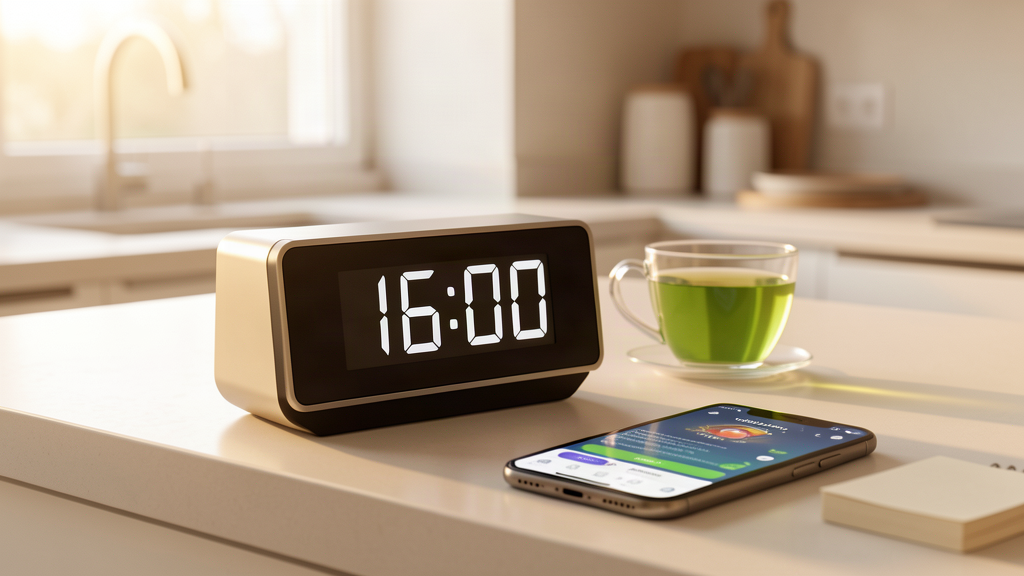
How to Set Up a Fasting Timer System: Complete Guide 2026
Fasting is simple in theory — eat during a window, fast the rest of the time. But anyone who has tried intermittent fasting knows that consistency is where most people struggle. You forget when your eating window started, you lose track of how long you have been fasting, or you accidentally snack outside your planned hours. A fasting timer system solves all of these problems by removing the guesswork and turning your fasting schedule into an automated routine.
In this guide, you will learn exactly how to set up a fasting timer system that works for your lifestyle, which tools and products give you the best results, and how to avoid the common mistakes that derail beginners. Whether you are just starting 16:8 intermittent fasting or running a 20:4 OMAD schedule, the right timer setup makes all the difference.
Why Timing Matters More Than You Think
Most people focus on what they eat during fasting, but the real key to results is when they eat. Research from the Salk Institute for Biological Studies found that time-restricted eating — where you confine food intake to a consistent 8 to 10-hour window — can reduce body fat, lower inflammation, and improve metabolic markers even without calorie counting. A 2024 study published in Cell Metabolism confirmed that eating at consistent times aligned with your circadian rhythm amplifies these benefits.
The catch? These benefits only materialize when your fasting and eating windows are consistent. Eating at 8 AM one day and noon the next, or extending your eating window by two hours because you lost track of time, blunts the metabolic switch that makes fasting effective. Your body needs a predictable rhythm to optimize hormone production, insulin sensitivity, and autophagy — the cellular cleanup process that fasting triggers.
A timer system eliminates the inconsistency. Instead of relying on willpower or memory, you set it once and let technology handle the rest. Here is exactly how to build one.
Step 1: Choose Your Fasting Schedule
Before picking any timer or app, decide on your fasting protocol. The timer is only useful if it matches a schedule you can maintain. Here are the most popular options for 2026:
16:8 (Most Popular) — Fast for 16 hours, eat during an 8-hour window. This is the standard entry point for intermittent fasting. Your eating window might be 12 PM to 8 PM, meaning you skip breakfast and have lunch and dinner within that window. Most people find this sustainable long-term.
18:6 (Intermediate) — A tighter 6-hour eating window, usually noon to 6 PM. This accelerates fat burning and autophagy but requires more discipline. It works well for people who naturally eat two meals a day.
20:4 OMAD (Advanced) — One Meal A Day, with a 4-hour eating window. This is the most aggressive common protocol and delivers strong autophagy benefits. However, it requires careful meal planning to get adequate nutrition in a single sitting.
5:2 (Alternate Day) — Eat normally five days a week, restrict to 500-600 calories on two non-consecutive days. This requires calorie counting rather than strict time-based fasting, so your timer setup will differ.
Circadian Fasting — Eat when the sun is up, fast when it is dark. Typically a 10-hour eating window (7 AM to 5 PM or 8 AM to 6 PM). This aligns with your body clock and is gaining popularity in 2026.
Pick the schedule you can stick to for at least 30 days. A timer system for a protocol you abandon after a week is wasted effort.
Step 2: Pick Your Timer Tools
You do not need to spend a fortune on fasting tools. In fact, the best setup combines a few affordable items with a free or low-cost app. Here is what works:
Essential: A Dedicated Kitchen Timer
A physical kitchen timer is the backbone of any fasting system. Unlike a phone app, it does not require unlocking, does not get buried under notifications, and produces an audible alert that cuts through background noise. For fasting, you want a timer with at least a 24-hour countdown, large display, and loud alarm.
The kitchen timers with large displays on Amazon range from $10 to $30 and last for months on a single battery. Look for models with a “count up” feature so you can also track how long your current fast has lasted.
Recommended: A Smart Timer or Smart Plug
For automation-minded fasters, a smart timer or smart plug setup can trigger alerts at specific times without manual input. Some fasters use a programmable smart kitchen timer that beeps at the start and end of your eating window. Others pair a basic timer with phone alarms for redundancy.
Optional: A Fasting App
A fasting app adds data tracking on top of your timer. The best apps in 2026 — Zero, Simple, and Fastic — let you log fasts, track weight trends, and see your fasting history over weeks and months. However, an app alone is not enough because phone notifications are easy to ignore. The app is for tracking, not for reminding. Use a physical timer for alerts and the app for records.
Backup: Phone Alarms
Set at least two alarms for your eating window open and close times. Name them clearly — “EATING WINDOW OPEN” and “FASTING BEGINS” — so there is no confusion. Phone alarms are your safety net when the kitchen timer battery dies or you are away from home.
Step 3: Build Your Timer Routine
Now that you have the tools, here is the exact routine to follow every day:
Morning (Start of Fast)
When your eating window closes the night before, start your kitchen timer for your full fasting duration (16, 18, or 20 hours). Place the timer in a visible spot — the kitchen counter works well. Start your fasting app timer simultaneously. Set a phone alarm for the exact minute your eating window opens the next day.
During the Fast
Check your kitchen timer display periodically. The countdown helps you stay motivated — seeing “6 hours remaining” is more encouraging than wondering how long until you eat. If you drink tea or black coffee during your fast (which is perfectly fine and does not break your fast), make your brew when the timer hits the halfway mark as a ritual reward.
Eating Window Opens
When the timer alarm sounds, log your eating window in your fasting app. Do not immediately binge — start with a balanced meal that includes protein, healthy fats, and fiber. Your first meal after a fast sets the tone for your entire eating window.
Eating Window Closes
Set a 10-minute warning alarm before your eating window closes. This is critical — it gives you time to finish your meal, clean up, and prepare for the next fast. When the final alarm sounds, brush your teeth. The minty fresh feeling creates a psychological boundary that makes it easier to resist late-night snacking.
Evening (Start Next Fast)
Reset your kitchen timer for the next fasting cycle. If you use a programmable timer, pre-set it to auto-start at your close time. Log your fast in the app. Review your fasting streak — seeing consecutive completed fasts builds momentum.
Step 4: Avoid These Common Timer Mistakes
Mistake 1: Using Only Your Phone
Phone notifications are designed to be ignored. You swipe them away, silence them, or get distracted by the app you open to check the time. A dedicated kitchen timer with a loud, physical alarm is fundamentally different — it demands attention. The best fasting setups always include at least one non-phone timer.
Mistake 2: Not Setting a Closing Alarm
Most fasters set an alarm for when their eating window opens but forget to set one for when it closes. This leads to eating for an extra hour or two, which compresses your fast and reduces results. Always set both opening and closing alarms, and add a 10-minute warning before closing.
Mistake 3: Inconsistent Window Times
Eating from 12 to 8 PM on weekdays but 2 to 10 PM on weekends defeats the purpose. Your body thrives on consistency. Pick a window that works seven days a week, or at most shift by one hour on weekends. A programmable timer that stores your schedule eliminates this problem entirely.
Mistake 4: Forgetting to Reset
You finish your eating window, but you forget to start the fasting timer. Three hours later you realize you have no idea how long you have been fasting. This uncertainty leads to either breaking your fast too early or pushing too far past your target. Make resetting the timer part of your closing ritual — right after brushing your teeth.
Mistake 5: Ignoring the 10-Minute Warning
The 10-minute warning before your eating window closes is the most underrated alarm in your system. Without it, you go from eating to fasting with no transition, which often leads to cravings and late-night snacking. Use those 10 minutes to finish your meal, prep water for the next morning, and mentally shift into fasting mode.
How a Timer System Fits Your Fasting Schedule
The beauty of a timer system is that it adapts to any protocol. Here is how it looks for the most common schedules:
For 16:8 Fasters: Close your window at 8 PM, start a 16-hour timer. Set your phone alarm for 12 PM the next day. Add a 10-minute warning at 7:50 PM. Total setup time: 2 minutes.
For OMAD Practitioners: Close your window at 6 PM, start a 20-hour timer. Your eating window opens at 2 PM the next day. Because your window is so short, the 10-minute warning is essential — it is the difference between a satisfying meal and rushing through food.
For Circadian Fasters: Close your window at 5 PM (sunset-adjacent), start a 15-hour timer. Eating window opens at 8 AM. This protocol benefits most from consistency because it aligns with your cortisol and melatonin cycles.
Best Fasting Timer Products for 2026
Here are the top products to build your fasting timer system, all available on Amazon:
1. Large Display Kitchen Timer — A basic, reliable timer with a big screen and loud alarm. Look for models with memory function that saves your last timer setting. Check latest prices on Amazon.
2. Programmable Smart Timer — For fasters who want to pre-set their entire week. Program your eating window once, and the timer repeats daily without manual input. See options on Amazon.
3. Fasting App (Zero or Simple) — Free tier available for both. Zero offers clean tracking with streak counters. Simple adds meal planning and recipes. Use alongside your physical timer, not instead of it.
4. Smart Plug for Kitchen Appliances — Automate your meal prep by plugging a slow cooker or rice cooker into a smart plug timed to your eating window. Food is ready exactly when you can eat. Browse smart plugs on Amazon.
Frequently Asked Questions
Does tea or coffee break my fast?
Plain black coffee and unsweetened tea — green, black, herbal, or matcha — do not break your fast. They contain negligible calories and may actually enhance autophagy. A 2024 study found that green tea catechins (EGCG) activate AMPK, the same metabolic pathway that fasting triggers, potentially amplifying your fasting benefits by 15 to 20 percent. Avoid adding sugar, milk, or cream, which contain calories and can spike insulin.
What if I miss my eating window alarm?
One missed alarm is not a disaster. If you realize within 30 minutes, go ahead and eat. If it has been several hours, you can either extend your fast to your next normal eating time or eat a small snack and restart your timer. The key is to not let one missed alarm spiral into a skipped day. Reset your timer immediately and get back on schedule.
How long does it take to adjust to a fasting timer?
Most people适应 to their fasting schedule within 7 to 10 days. The first three days are the hardest — you will feel hunger at your usual eating times and may experience irritability. By day five, your hunger hormones (ghrelin and leptin) begin to shift to match your new schedule. By day ten, fasting feels natural. A consistent timer system accelerates this adaptation because your body learns to expect food at the same times every day.
Should I fast on weekends too?
Yes, ideally. Consistency is the foundation of fasting results. Your circadian rhythm does not know it is Saturday. However, if social meals are important to you, you can shift your eating window by one or two hours on weekends rather than skipping fasting entirely. A programmable timer with separate weekday and weekend settings handles this automatically.
Can I use a smartwatch as my fasting timer?
Smartwatches work as secondary timers but are not ideal primary devices. The small screen makes it hard to glance at your remaining fast time, and do-not-disturb mode can silence alerts. Use your smartwatch for activity tracking during fasts and rely on a kitchen timer or phone for eating window alerts.
Conclusion: Start Your Timer System Today
Setting up a fasting timer system takes less than 10 minutes but transforms your entire fasting experience. The combination of a dedicated kitchen timer for alerts, a fasting app for tracking, and consistent daily rituals removes the guesswork that causes most people to quit intermittent fasting within the first month.
Pick your schedule, grab a reliable kitchen timer, set your alarms, and commit to 30 days. The timer does the hard work — you just follow its lead. Your future self, with more energy, better sleep, and steady results, will thank you.
As an Amazon Associate, I earn from qualifying purchases.
Related posts:
 How Long Until Autophagy Starts During Fasting? The Complete 2026 Guide
 Best Continuous Glucose Monitors for Fasting in 2026: Complete Buyer’s Guide
 Best Cold Plunge Tubs for Fasting Recovery in 2026: Complete Buyer’s Guide
 Best Sauna Blankets for Fasting Recovery in 2026: Complete Buyer’s Guide
 How to Break a Fast With Bone Broth: The Complete 2026 Guide